
Download PaintBuster – Photo Editing Tool, Red-Eye Correction, Filters, Layers, Resizing
Overview
PaintBuster is a mobile application designed to enhance digital photo collections through a suite of editing tools tailored for everyday users. Its primary purpose is to simplify the process of improving image quality and appearance, making it accessible even to those without prior editing experience. The app addresses common challenges such as red-eye in portraits, lack of visual impact in photos, and the need for quick resizing for different platforms. It is particularly useful for users who want to refine their photos for social media, personal albums, or small-scale printing without relying on complex desktop software.
Target users include amateur photographers, casual smartphone users, and individuals seeking a lightweight yet functional tool for on-the-go photo adjustments. The app’s interface is built to resemble popular photo editing software, allowing for a smooth learning curve and intuitive navigation. While the developer’s background is not publicly detailed, the app has been available since 2008, indicating a long-standing presence in the digital photo editing space. This longevity suggests a stable, tested foundation, though no recent updates or performance metrics are currently disclosed.
Real-world use cases include correcting red-eye in family photos, applying vintage or artistic filters for creative expression, and resizing images for email or social media sharing. In the broader app ecosystem, PaintBuster fills a niche for lightweight, accessible photo editing tools that prioritize ease of use without sacrificing core functionality. It serves as a practical utility for users who value simplicity and efficiency in image enhancement.
Key Features & Functionality
PaintBuster offers a set of well-defined editing capabilities that cater to both basic and intermediate photo enhancement needs. Each feature is designed with usability in mind, ensuring that users can achieve meaningful results without extensive training.
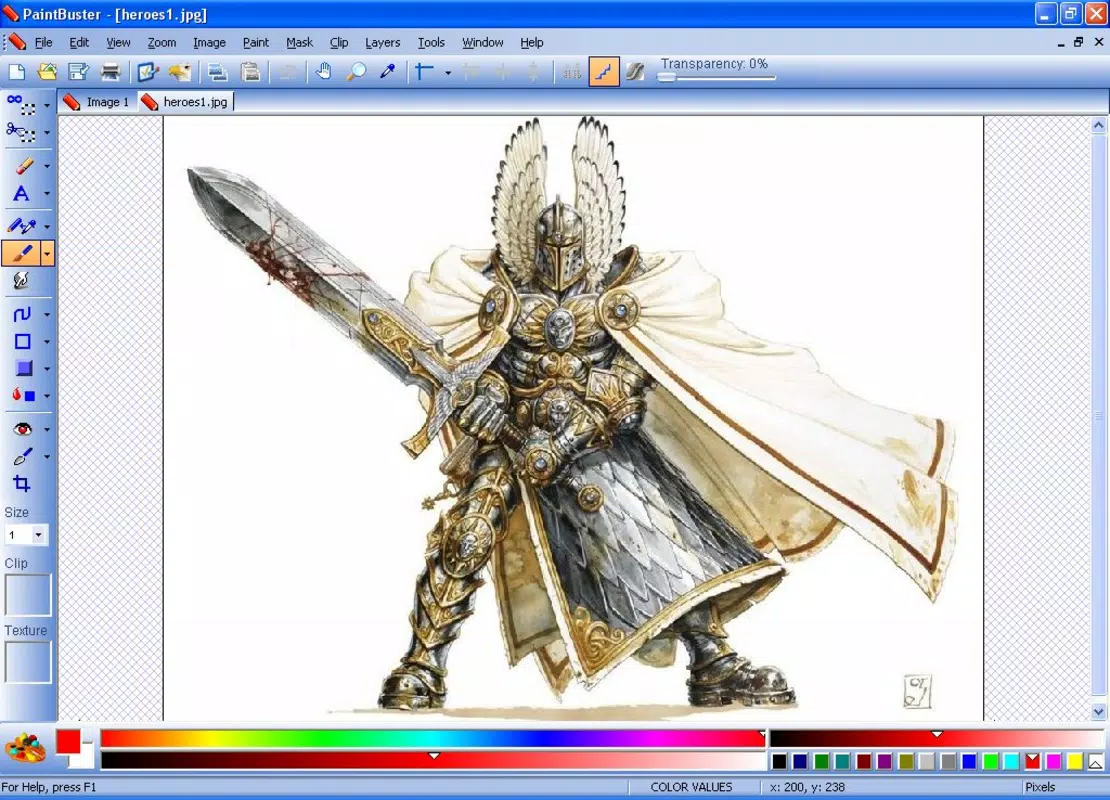
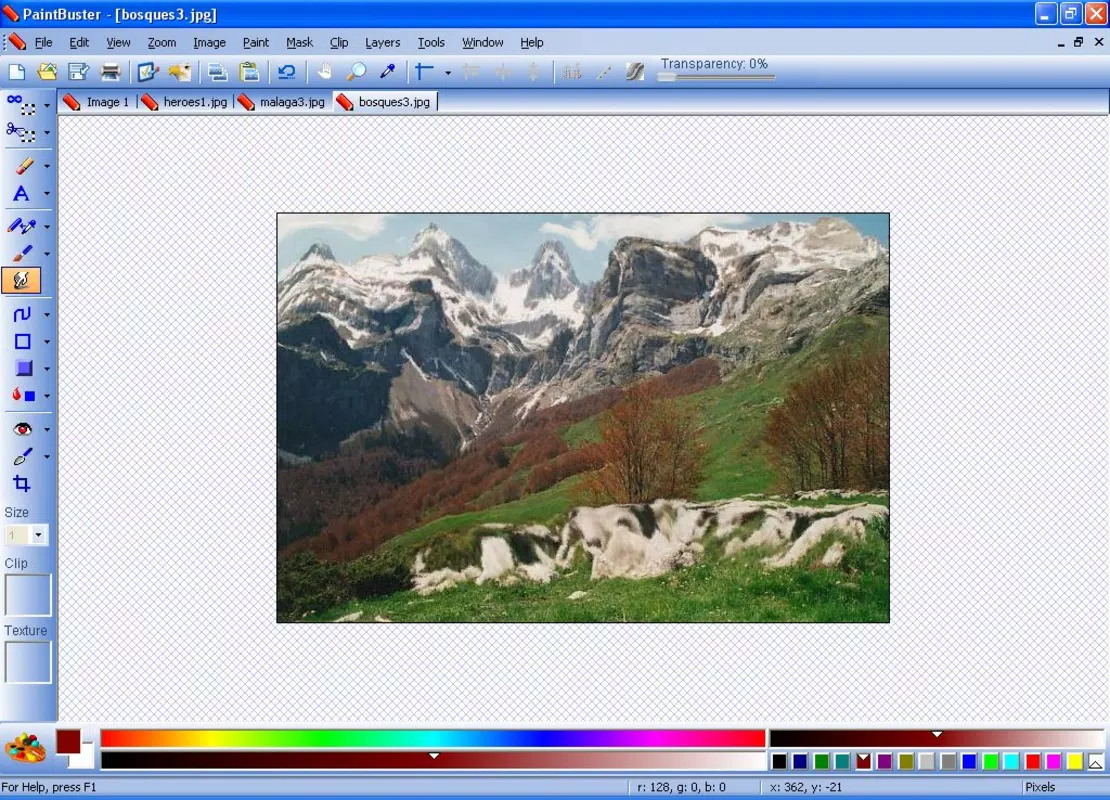
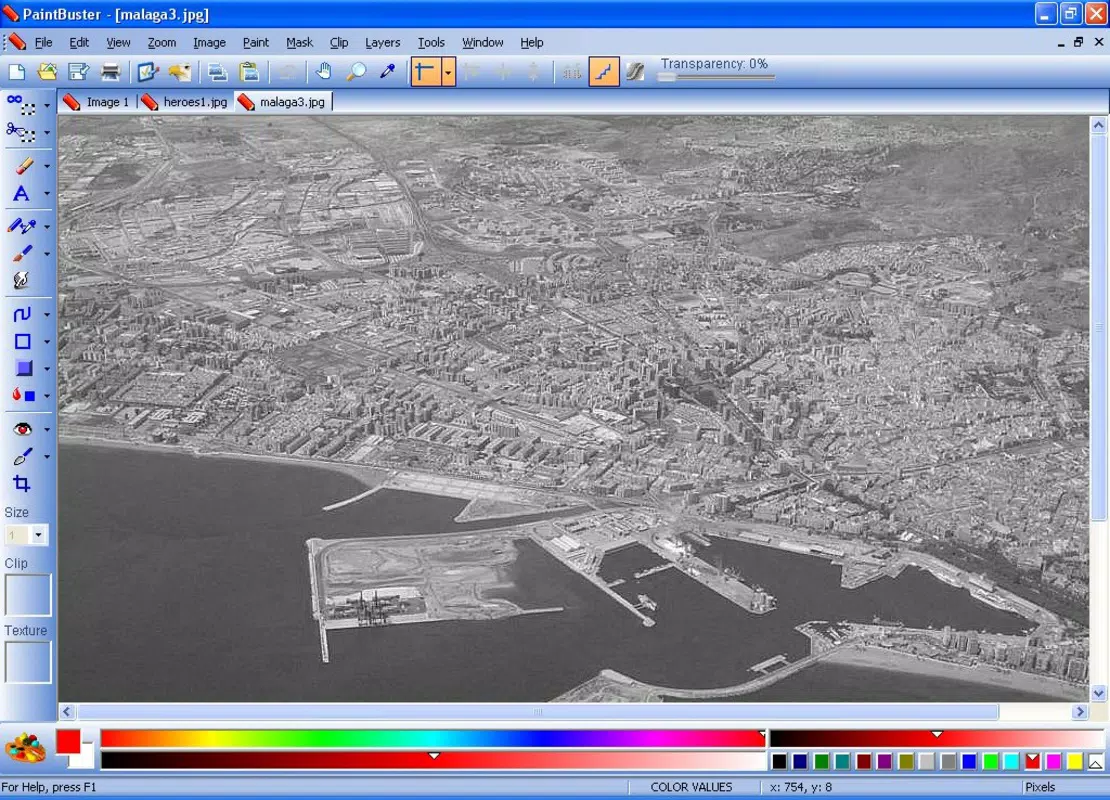
- Intuitive User Interface: The layout mirrors that of established photo editing applications, enabling users to adapt quickly. This familiarity reduces the learning curve and allows for efficient workflow, even for first-time users.
- Red-Eye Correction: A dedicated tool that identifies and corrects red-eye effects in portraits. By selecting the affected area, the app automatically adjusts the eye color to a natural tone, improving the overall realism of the image.
- Variety of Filters: Users can apply multiple artistic filters to transform the mood and style of their photos. Whether aiming for a vintage aesthetic or enhancing color vibrancy, the filter options support creative experimentation.
- Layer Management: The inclusion of layer support allows users to make non-destructive edits. This feature enables the separation of adjustments—such as brightness, contrast, and filter application—so that individual elements can be modified independently.
- Easy Resizing Tools: Simple controls let users adjust image dimensions for specific purposes, such as preparing photos for web use or printing. The tool supports various aspect ratios and ensures image quality is maintained during scaling.
For example, a user might apply a sepia filter to an old photo for nostalgic effect, then use layer management to fine-tune brightness without affecting the filter layer. Another user could correct red-eye in a group photo and resize it for instant sharing on a messaging app—all within a few minutes of opening the app.
Interface, UX & Performance
The user interface of PaintBuster is structured to prioritize clarity and accessibility. Its layout is organized with toolbars, preview panels, and navigation menus that follow a familiar pattern seen in desktop editing software. This consistency helps users transition from other platforms with minimal confusion. Visual elements are presented in a clean, uncluttered manner, reducing cognitive load and improving focus on the editing task.
Navigational flow is straightforward: users open an image, select a tool from the menu, apply adjustments, and preview results in real time. The app supports touch-based interactions, allowing for pinch-to-zoom, drag-to-move, and tap-to-select functions. These gestures enhance the tactile experience on mobile devices.
Although the developer did not list formal performance metrics, the app’s design suggests it is optimized for efficient operation on a range of devices. Its lightweight nature implies minimal strain on system resources, making it suitable for older or mid-tier smartphones. Responsiveness appears to be a priority, as real-time previews and smooth transitions between tools indicate stable operation. However, no specific data on lag, crash rates, or battery impact was provided.
Stability is implied by the app’s long availability since 2008, but recent user feedback or crash reports were not disclosed. Users can expect consistent behavior during typical editing sessions, though complex layering or high-resolution image processing may vary depending on device capabilities.
Platform Compatibility & Technical Requirements
PaintBuster is available for Android and iOS platforms. The app’s current software version and file size are not publicly specified. The developer did not provide detailed information on minimum operating system requirements or hardware specifications.
Compatibility information was not fully disclosed, so users are advised to check their device’s system version and available storage before installation. The lack of detailed technical data means that performance on newer or older devices cannot be guaranteed. However, the app’s long-standing presence suggests it has been adapted to work across multiple device generations.
Users should ensure their device meets the baseline requirements for running mobile applications, including sufficient RAM and storage space. While no specific version numbers were listed, the app’s continued availability indicates ongoing support for current mobile ecosystems.
Pros and Cons
Pros
- Intuitive interface resembling popular photo editing software
- Effective red-eye correction for improved portrait quality
- Multiple artistic filters for creative photo enhancement
- Support for layer management enabling advanced editing
- Simple resizing tools for web and print use
Cons
- Developer did not provide detailed technical specifications
- Specific OS version or device compatibility requirements were not listed
- No information on recent updates or development activity
- Performance metrics or user feedback data were not disclosed
- File size and version details were not made available
FAQ
Is PaintBuster safe to download and install?
Yes, PaintBuster is a legitimate mobile application. It has been available since 2008 and functions as a photo editing tool. As with any app, users should download it from official app stores to ensure security and authenticity.
Can I use PaintBuster on both Android and iOS?
Yes, the app is compatible with both Android and iOS platforms. Specific version details were not provided, but its long-standing presence indicates cross-platform availability.
Does PaintBuster require an internet connection?
Based on its functionality, PaintBuster appears to operate offline. All core editing features—such as red-eye correction, filters, and resizing—can be performed without an internet connection.
How often is PaintBuster updated?
The developer has not disclosed the frequency of updates. However, the app has remained available since 2008, suggesting ongoing maintenance, though no recent release details were provided.
Can I edit high-resolution photos with PaintBuster?
Yes, the app supports image editing, including resizing and layer management. However, performance with very high-resolution images may depend on the device’s processing power and available memory.
Final Thoughts
PaintBuster stands out as a reliable, user-friendly tool for enhancing digital photos on mobile devices. Its combination of red-eye correction, artistic filters, layer support, and resizing tools makes it a versatile utility for casual users and those seeking a straightforward editing experience. The interface’s familiarity reduces the barrier to entry, while its core features deliver tangible improvements to image quality.
While technical details such as version, size, and OS requirements remain undisclosed, the app’s longevity and consistent functionality suggest reliability. It is especially beneficial for users who want to edit photos quickly without the complexity of professional software. For those looking to enhance portraits, apply creative effects, or prepare images for sharing, PaintBuster offers a practical solution.
Download PaintBuster now


